
Available Events
Currently, the Slack integration supports:- Policy violation — Get notified when content violates selected policies within selected deployments
More event types will be added in the future.
Example Notification
When a violation is detected, you’ll receive a message like this in your Slack channel: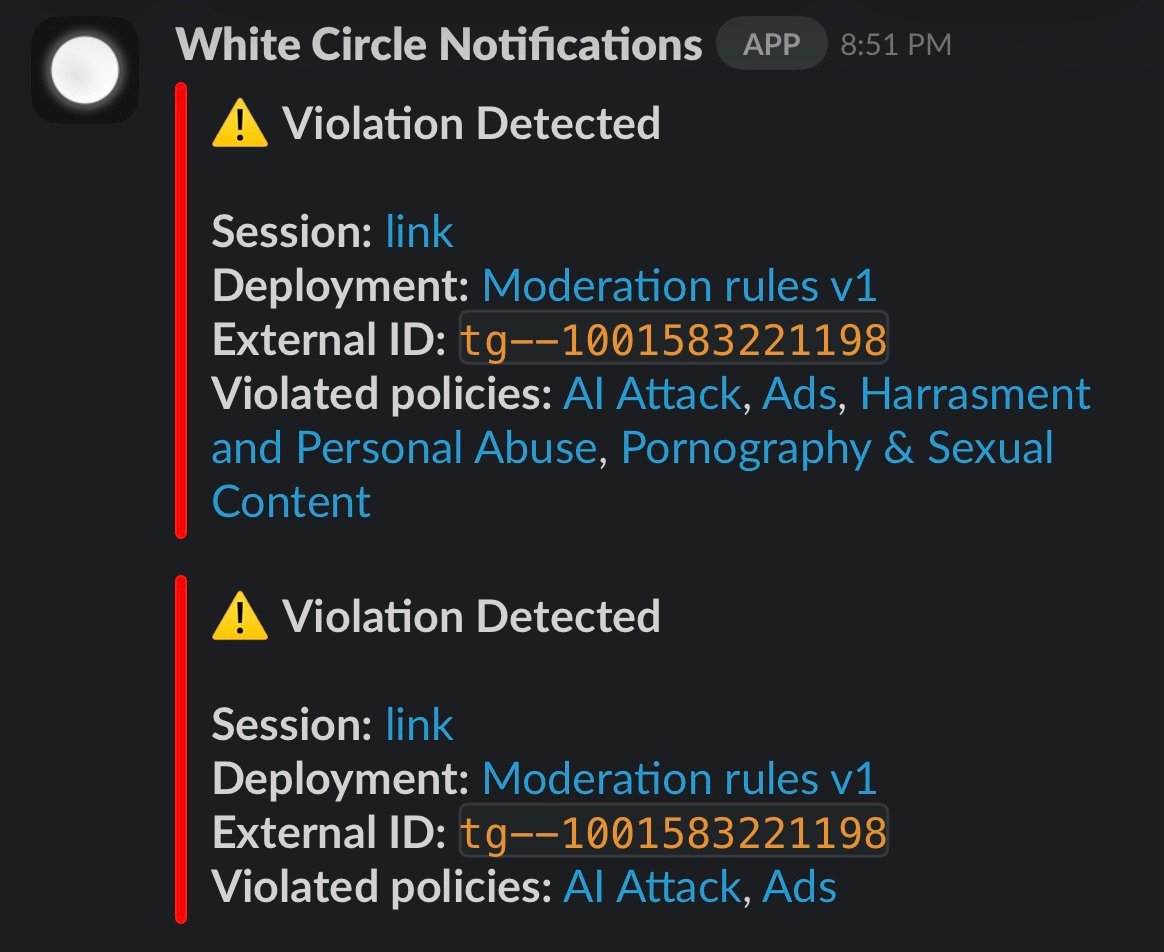
- A link to the session details
- The deployment name
- The external ID (if provided)
- The list of violated policies
Setting Up the Integration
1
Open Workspace Settings
Navigate to your Workspace Settings → Integrations page.
2
Connect Slack
Click on the Slack integration and authorize White Circle to send messages to your workspace.
3
Configure Events
Add one or more events to listen for. For each event, configure:
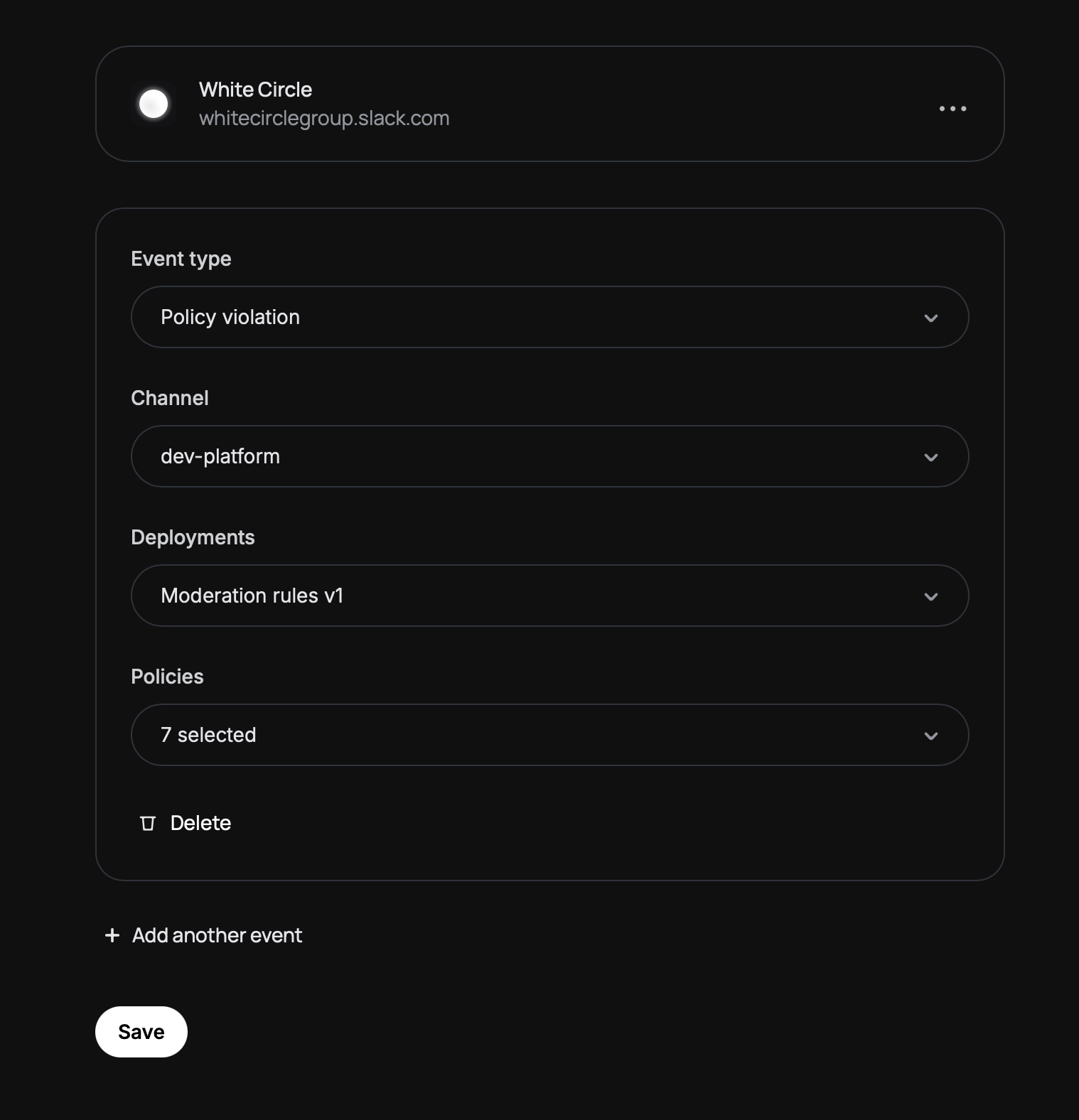
- Event type — Select “Policy violation”
- Channel — Choose which Slack channel should receive notifications
Can't find your private channel?
Can't find your private channel?
Private channels require an extra step. You need to invite the White Circle Notifications app to the channel first:
- Open the private channel in Slack
- Type
/invite @White Circle Notifications - Refresh the integrations page — your channel should now appear in the dropdown
- Deployments — Select which deployments to monitor
- Policies — Select which policies should trigger notifications
4
Save
Click Save to activate the integration.