> ## Documentation Index
> Fetch the complete documentation index at: https://docs.whitecircle.com/llms.txt
> Use this file to discover all available pages before exploring further.
# Slack
> Receive real-time notifications in Slack when Policy violations occur
export const domain = 'https://eu.whitecircle.com';
White Circle provides a native Slack integration that sends notifications directly to your Slack workspace when Policy violations are detected.
## Available Events
Currently, the Slack integration supports:
* **Policy violation** — Get notified when content violates selected Policies within selected Environments
More event types will be added in the future.
## Example Notification
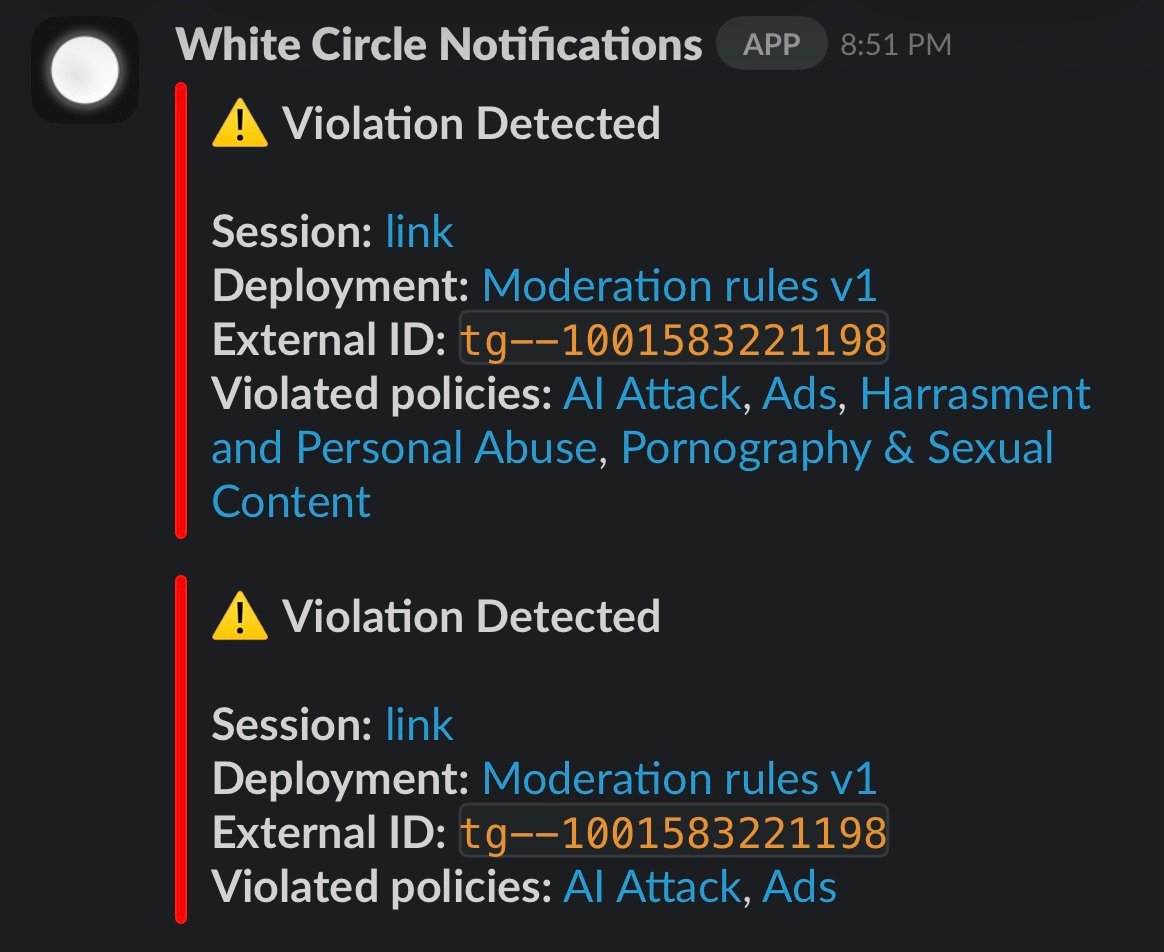
When a violation is detected, you'll receive a message like this in your Slack channel:
The notification includes:
* A link to the session details
* The Environment name
* The external ID (if provided)
* The list of flagged Policies
## Setting Up the Integration
Go to your Workspace Settings → Integrations page.
Click on the Slack integration and authorize White Circle to send messages to your workspace.
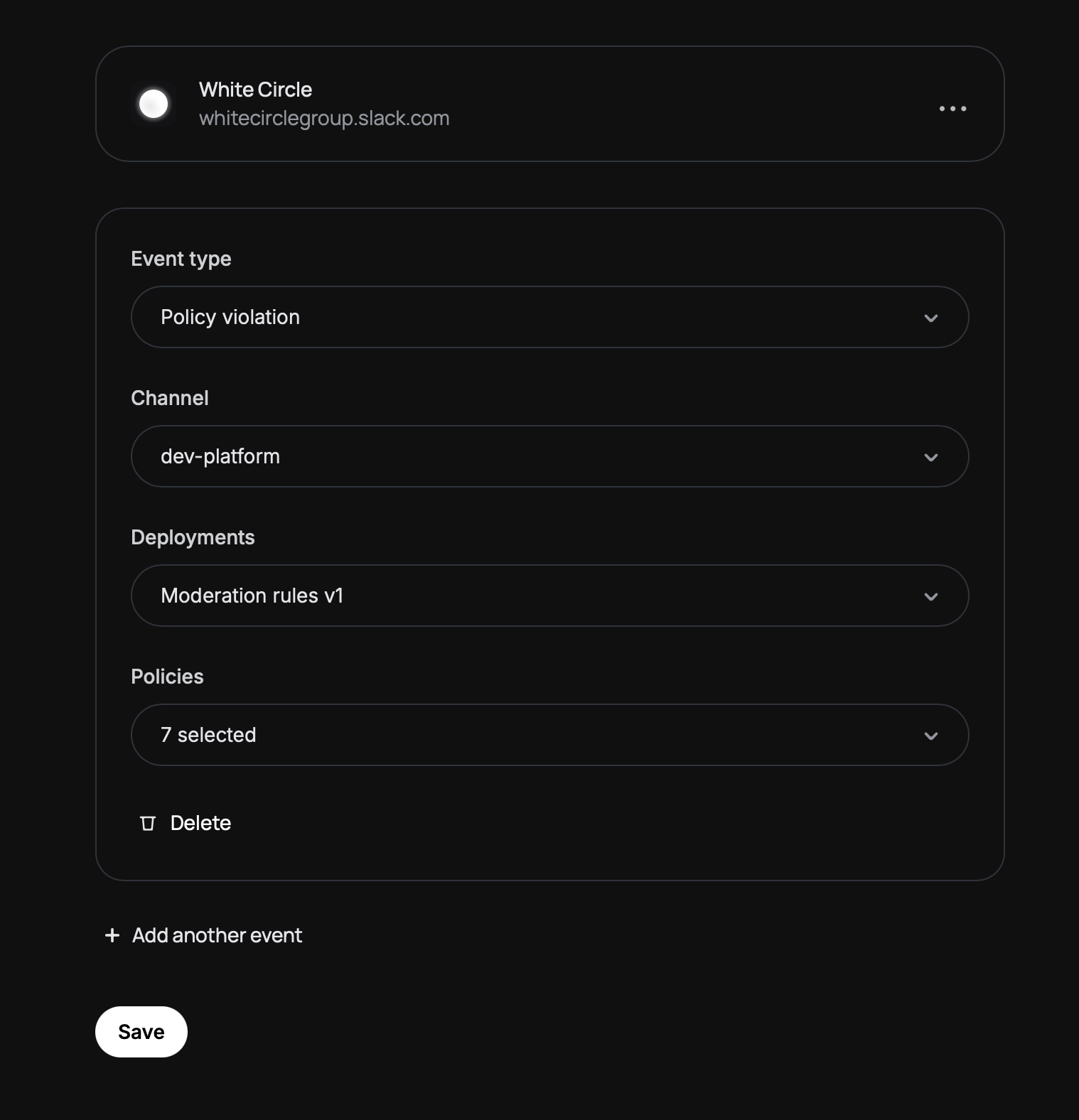
Add one or more events to listen for. For each event, configure:
* **Event type** — Select "Policy violation"
* **Channel** — Choose which Slack channel should receive notifications
Private channels require an extra step. You need to invite the White Circle Notifications app to the channel first:
1. Open the private channel in Slack
2. Type `/invite @White Circle Notifications`
3. Refresh the integrations page — your channel should now appear in the dropdown
* **Environments** — Select which Environments to monitor
* **Policies** — Select which Policies should trigger notifications
Click **Save** to activate the integration.
 The notification includes:
* A link to the session details
* The Environment name
* The external ID (if provided)
* The list of flagged Policies
## Setting Up the Integration
The notification includes:
* A link to the session details
* The Environment name
* The external ID (if provided)
* The list of flagged Policies
## Setting Up the Integration